

Web & Automation Testing Tools: What to Use, What to Skip
Written byPaweł Bylina


Updated: September 2, 2026View as Markdown
🤖 Summarize this article with AI:
💬 ChatGPT 🔍 Perplexity 💥 Claude 🐦 Grok 🔮 Google AI Mode
The right web application testing tool depends on who owns it, not just what it can do. Playwright and Cypress remain the strongest choice for developer-led teams that want full framework control and have the engineering bandwidth to maintain it. Selenium is the right answer if you have an existing investment or need maximum language and browser flexibility, though it carries the heaviest setup and Grid maintenance burden of the group. Mabl and Testim are built for teams whose UI changes constantly and who want AI-assisted maintenance, at enterprise pricing. BugBug is the fit when you want zero infrastructure, low test maintenance, and no-fuss recording with AI test recorder.
Here's what we've seen after hundreds of demo calls with companies across 50+ countries: a production bug hits, someone says "we need to automate regression," and the team spends two weeks setting up Playwright or Cypress. Tests get written. Everyone feels safe. Three sprints later, the UI changed, half the tests are red, and nobody fixes them — because nobody owns them. The suite gets ignored. Production breaks again.
The tool wasn't the problem. The fit was.
Playwright is genuinely excellent for developer teams that want framework control and have the bandwidth to maintain it. It's the wrong answer for a solo QA at a 30-person SaaS company who needs coverage before the next release, not a six-week setup project. This guide exists to help you match a tool to your team's actual constraints — engineering bandwidth, who's available to fix a broken test, whether you can own infrastructure — rather than just rank tools by feature count.
We didn't run a blind, vendor-neutral lab test — and we'd be skeptical of anyone in this space who claims they did without showing their methodology. Instead, we evaluated every tool here against three questions that determine whether a test suite survives past its first few sprints, checked against each vendor's own documentation and product:
That's the lens for the rest of this guide.
Check this before reading the full entries. It covers the dimensions that matter most when choosing across open-source testing tools and commercial tools.
| Tool | Setup ownership | Maintenance ownership | Infra ownership | Best for |
|---|---|---|---|---|
| Mabl | Mixed — low-code platform, some setup needed | Anyone for AI-healed cases; developer for edge cases | None — cloud-hosted | AI-assisted, fast-moving teams |
| Testim | Mixed — low-code, sales-gated trial | Anyone for visual/AI cases; developer for coded paths | None — cloud-hosted | Enterprise SaaS, changing UIs |
| BugBug | Anyone — browser extension + account, no install | Anyone — Edit & Rewind, no code required | None — cloud or local, nothing to host | B2B SaaS, web-only E2E |
| Katalon | Developer-leaning — JDK + desktop app + license | Mixed — codeless start, scripting for complex cases | Partial — desktop app, optional cloud | Hybrid teams: web + API + mobile |
| BotGauge | N/A — managed service, not self-operated | N/A — QA experts + AI agents own maintenance for you | None — fully managed | Teams that want QA outsourced, not a self-serve tool |
| testRigor | Anyone — plain English, no code | Anyone — plain English edits | None — cloud-hosted only | Non-technical testers |
| Rainforest QA | Anyone — recorder-based, no training required | Anyone for standard flows; gets harder on complex conditional logic | None — cloud-hosted | Startups moving off manual testing |
| Playwright | Developer — Node.js/Python + CLI setup | Developer — selector/code fixes | Self-hosted runners (or 3rd-party cloud) | Dev teams, JS/Python stacks |
| Cypress | Developer — Node.js + npm setup | Developer — selector/code fixes | Self-hosted runners (Cypress Cloud optional) | Frontend devs, JS-heavy apps |
| Selenium | Developer — language bindings + drivers; Grid for scale | Developer — script + Grid maintenance | Self-hosted Grid required at scale | Teams with infra expertise |
| BrowserStack | N/A — execution infra, not a test creator | N/A — doesn't author tests | None to host, but you still own your test code | Cross-browser + real device coverage at scale |
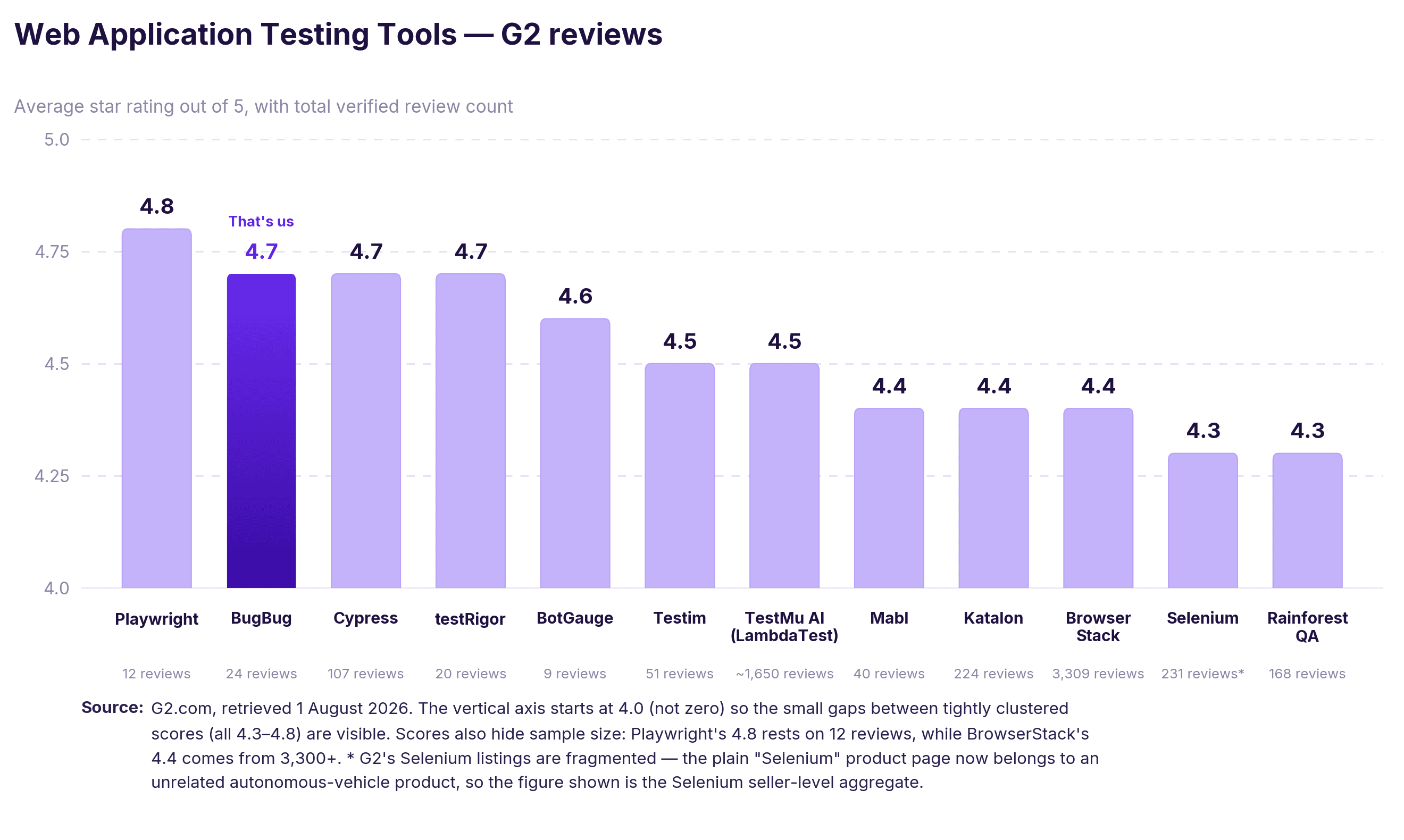
If I were a QA engineer starting from scratch at a 20-person b2b SaaS company today, I'd try BugBug first — not because I built it, but because the setup cost of Playwright or Cypress is real, and it compounds. You spend two weeks on infrastructure before you write a useful test. If Chromium coverage is enough for your stack, start there. If you need Firefox or Safari in production, Playwright is the honest answer.
Paweł Bylina, CEO of BugBug
Set up BugBug in 10 minutes and start testing your web app
Test easier than ever with AI test recorder. Faster than coding. Free forever.
Get started
This category exists for one reason: someone has to own the tests, and on most SaaS teams that person isn't a full-time automation engineer. These tools trade framework-level control for a suite that a QA generalist, PM, or developer-in-passing can create and — more importantly — keep alive.
Our comparison of codeless automation testing tools looks more closely at which platforms fit different teams, products, and maintenance needs.

Best for: Fast-moving teams that want AI-powered test maintenance and accept usage-based pricing.
Avoid if: your test volume is high or unpredictable — usage-based pricing makes the monthly bill hard to forecast, and you'll feel it most right when your suite grows.
Mabl's core bet is AI auto-healing: when the UI changes, it updates affected tests automatically, which genuinely cuts the fix-broken-tests-every-sprint cycle. It covers web, API, and email testing in one cloud platform. The trade-offs: auto-healing can behave unexpectedly on highly dynamic frontends, and pricing is usage-based with no published flat rate.
Pricing: Not published - third-party benchmarks (Vendr, G2) put typical entry around $500/month, with annual contracts commonly landing in the $6K–$50K range depending on usage. Budget for the number to move with your suite: usage-based pricing means growth in coverage is growth in cost. A 14-day trial is self-serve.

Best for: Enterprise SaaS teams managing large UI test suites where the UI changes frequently.
Avoid if: You're a small team trying to evaluate before you commit. There's no meaningful free plan, so you can't properly trial it without a sales conversation.
Testim pairs a visual recorder with AI-powered locators that adapt when elements change, and its object recognition and adaptive locator approach help with dynamic controls in complex web applications — targeting the single most common cause of suite breakage. Start codeless, add scripted steps as complexity grows. Pricing is custom enterprise only, which puts it out of range for most small teams, though that resilience can help preserve test coverage as interfaces change.
Pricing: Not published - custom quotes only, and the trial is sales-gated. Benchmark data puts entry around $450/month, with mid-market contracts typically in the $500–$2,000/month band before Tricentis enterprise upsell. There's no meaningful free plan, so evaluating it properly means a sales conversation first.
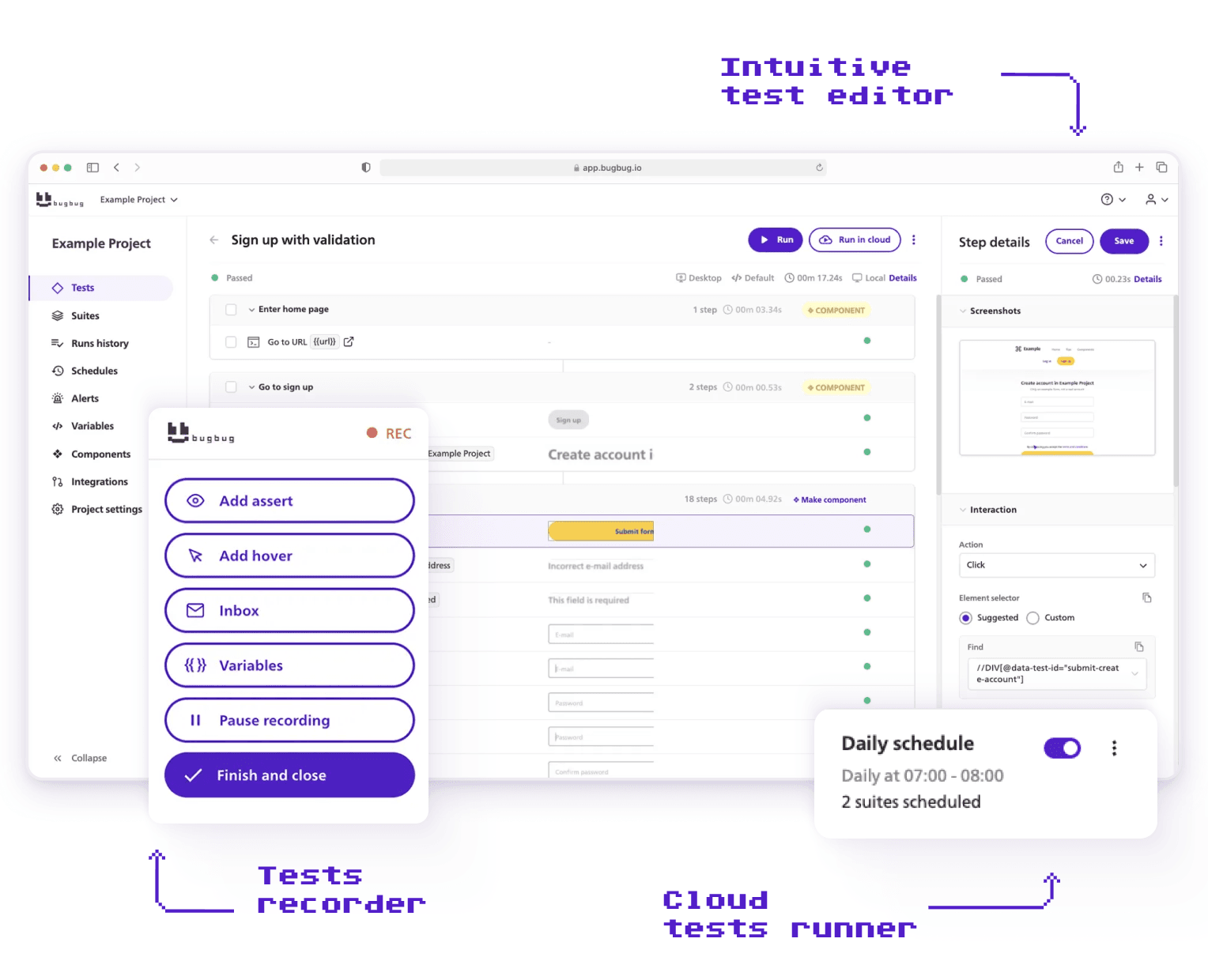
Best for: B2B SaaS and web-only teams that want fast, low-maintenance E2E automation without infrastructure ownership.
Avoid if: you need Firefox, Safari, or mobile coverage. It's Chromium-only — if cross-browser is a hard release requirement, it can't be your single tool.
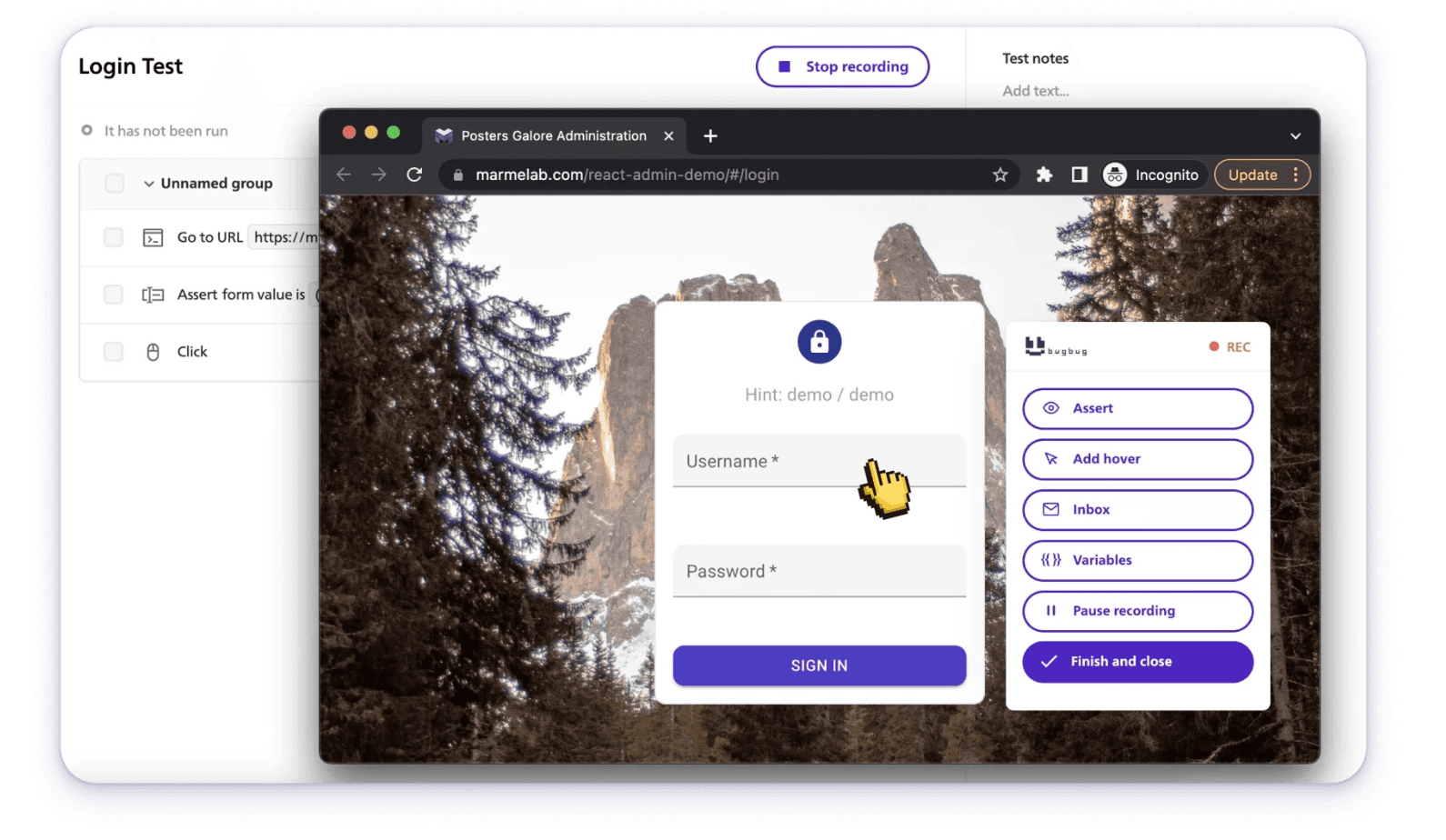
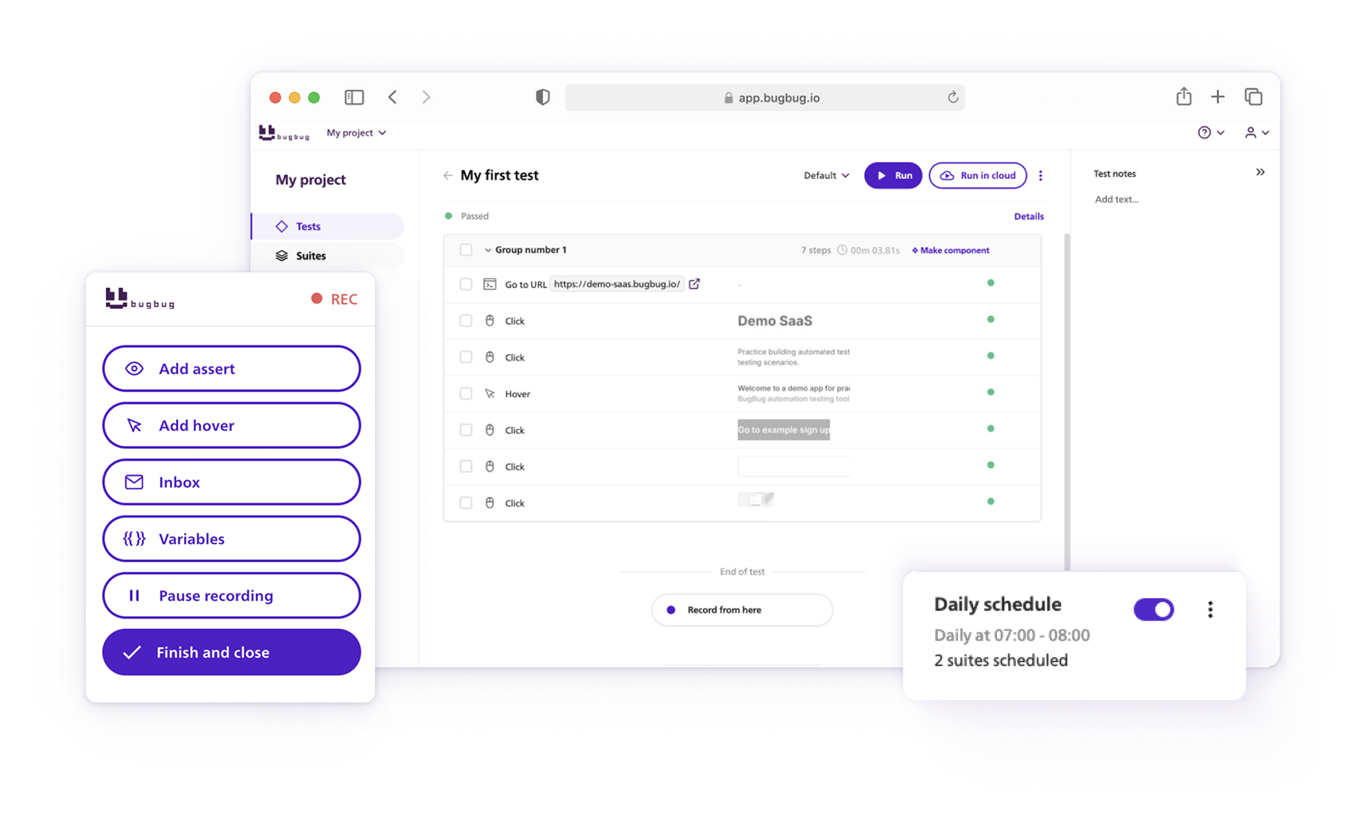
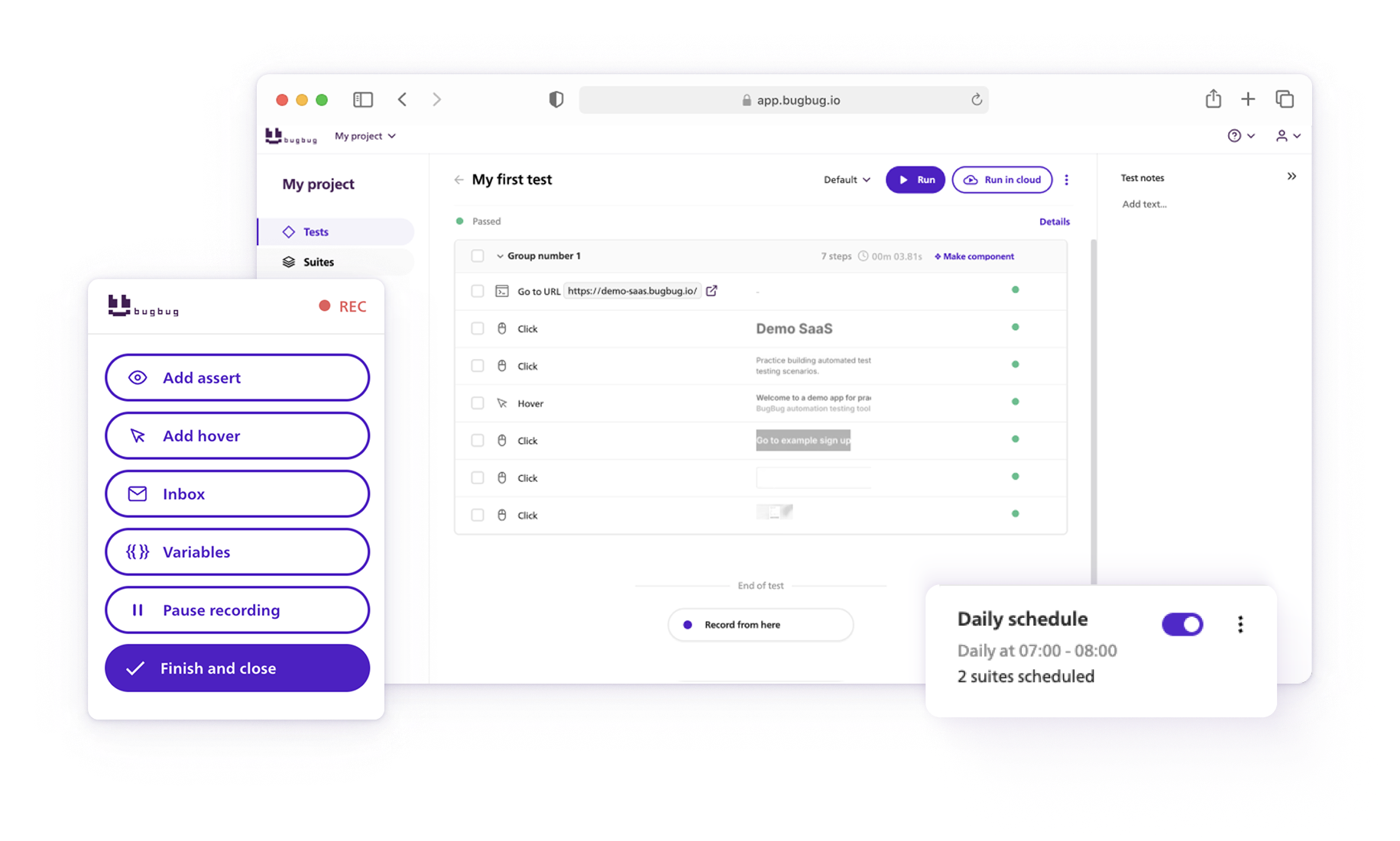
BugBug is an end-to-end testing tool for Chromium-based browsers and automated testing for web applications. You record tests by clicking through your app — no code, no Selenium grid, no VMs. Tests run locally or in the cloud on a schedule, and the free plan includes unlimited users and unlimited tests.
The no-code angle isn't marketing spin. Install the extension, interact with your app, and the test is captured as a series of clear test steps (you can later edit them)
Brand24, a SaaS media monitoring platform with clients in 110+ countries, evaluated Selenium and dropped it because the developer setup cost wasn't justified. Their Product Manager implemented BugBug solo, without touching the engineering team. Since then, BugBug has run over 100,000 automated test executions for Brand24 and caught more than five critical production issues. Codeless testing also reduces the need for constant test maintenance and shortens feedback loops.
Strengths:
Limitations:
Pricing: Free plan (unlimited local runs); paid plans from $99/mo billed yearly with unlimited cloud runs and no per-seat pricing. 14-day free trial, no credit card required.

Best for: Hybrid teams that need web, API, mobile, and desktop testing in one platform.
Avoid if: you only test web. The platform's web-plus-API-plus-mobile-plus-desktop breadth is overhead you'll pay for in setup time and learning curve without using.
Katalon wraps a visual recorder and keyword-driven scripting in one IDE: a QA records basic flows while a developer adds Groovy steps in the same project. Real consolidation if you currently run three tools for three test surfaces — but the useful capabilities (CI/CD, cloud runs, self-healing) sit behind paid plans.
Pricing: Limited free tier. Paid plans for teams and enterprise.
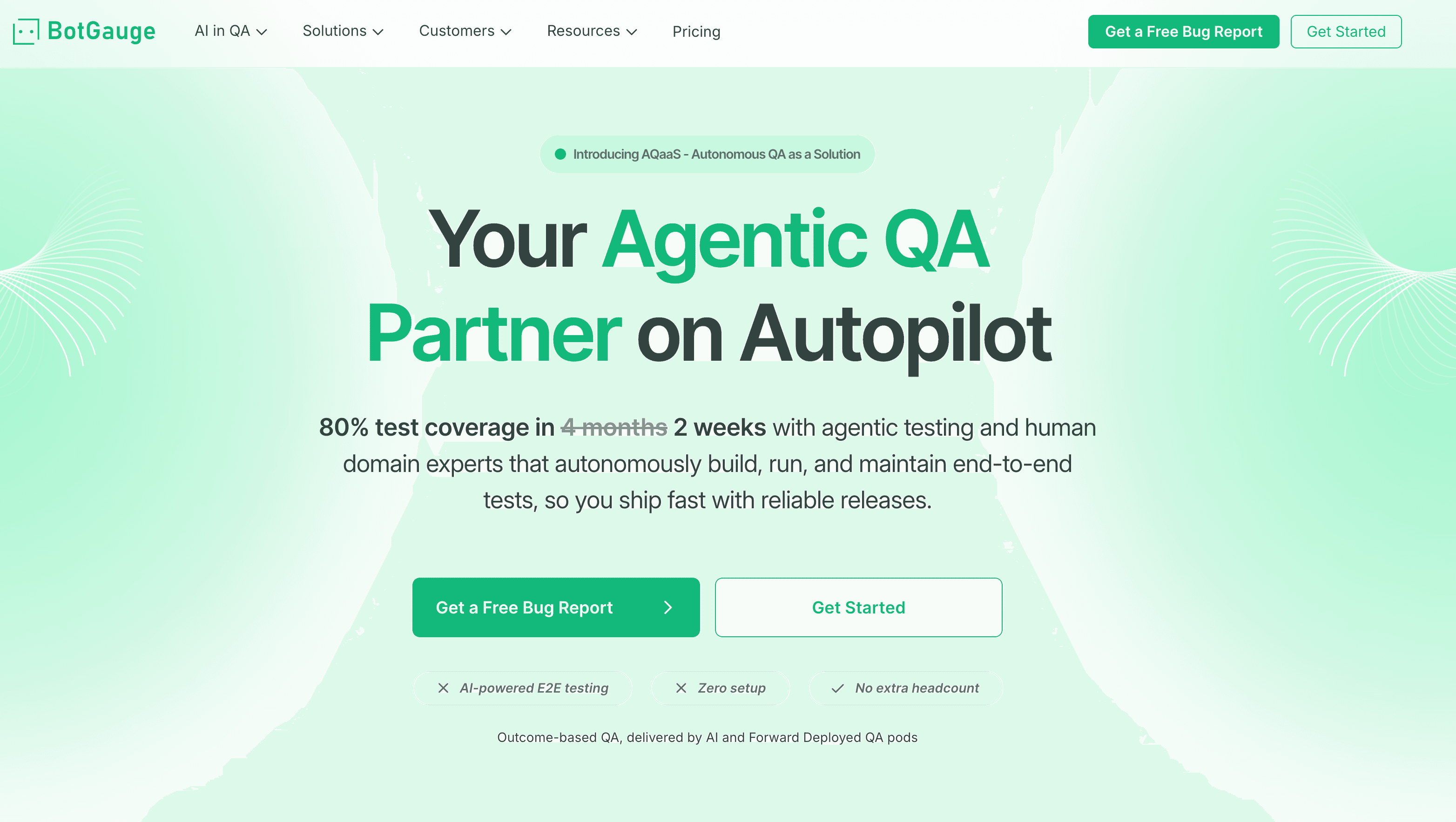
Best for: Engineering teams that want fully autonomous QA without writing or maintaining a single test script.
Avoid if: you want to own and run your own tests. It's a managed AQaaS model — great if you want QA handled for you, wrong if you need a self-serve tool your team controls day to day.
BotGauge: Same-day coverage after onboarding. The right call when the alternative is hiring a QA function, especially for engineering leaders who do not want to build testing operations internally — the wrong one if you want to own your tests.
Pricing: outcome-based — you pay for coverage delivered, not seats.
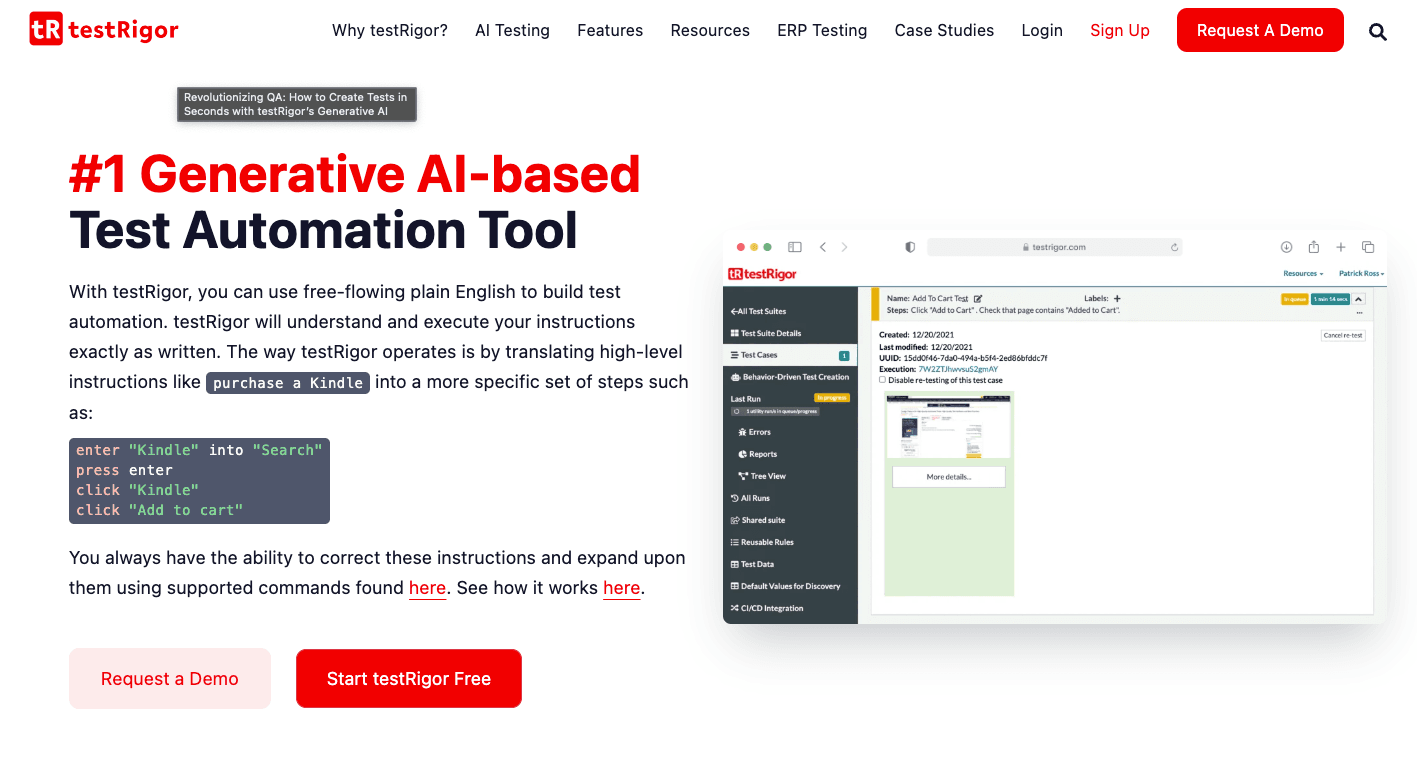
Best for: Non-technical teams who want to write tests in plain English rather than clicking through a visual recorder.
Avoid if: you need local execution or heavy conditional logic. It's fully cloud-dependent, and complex branching gets verbose fast in its plain-English syntax.
testRigor's bet is eliminating selectors entirely: you write "Click on 'Login'" and the platform translates it into an executable test. Accessible to fully non-technical stakeholders — but the syntax is structured, not free-form English, and there's a real learning curve to writing it well.
Pricing: Enterprise pricing. No self-serve free plan.
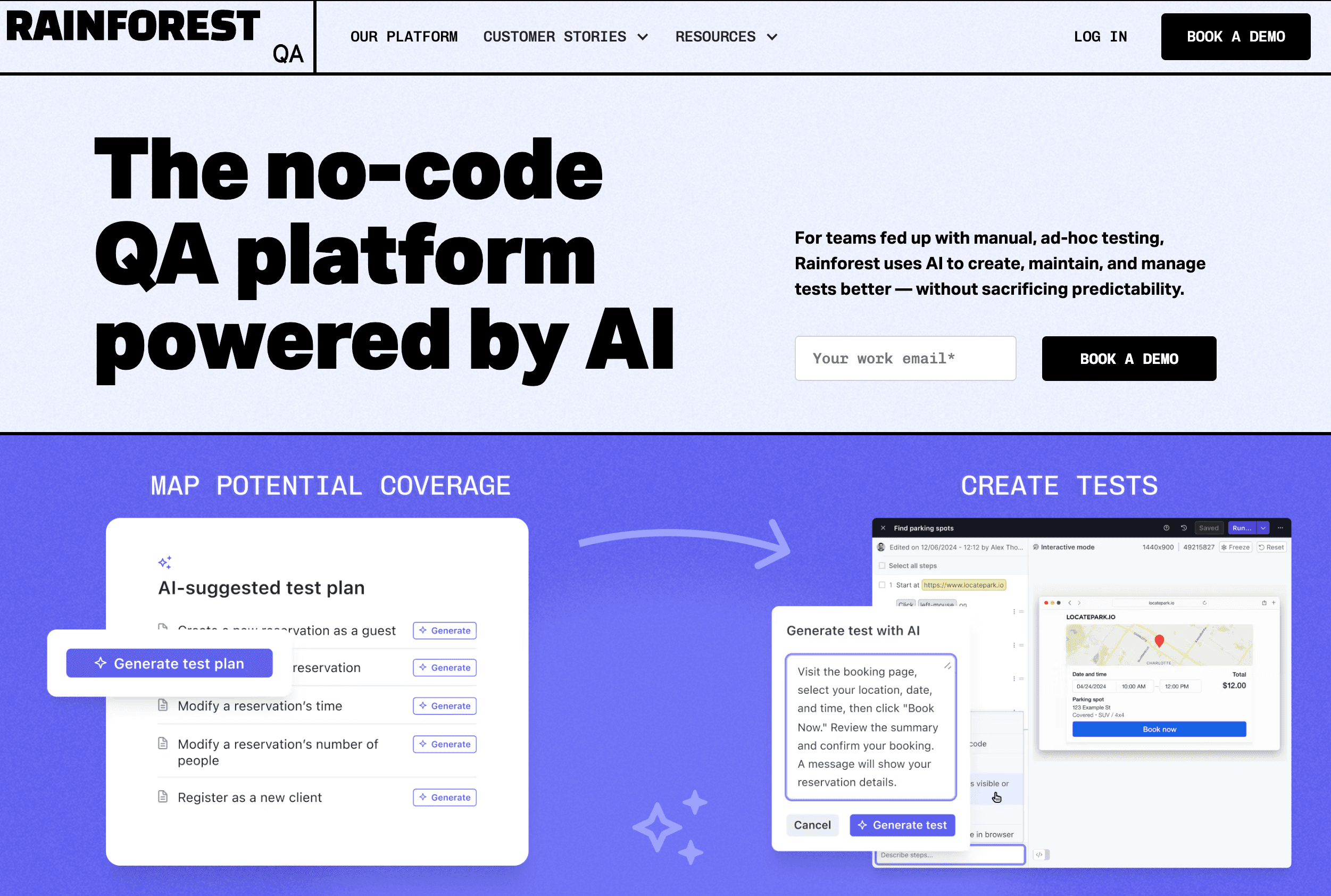
Best for: Startups and product teams transitioning from manual testing to automated UI validation without building an automation framework.
Avoid if: your tests rely on complex conditional flows, or you want predictable costs; usage-based pricing climbs at volume.
RainforestQA is a recorder with visual validation by default: it checks what the user sees, not just the DOM, which catches the visual bugs functional tests miss. Video recordings ship with every run. The natural bridge for QA teams coming from manual testing; less flexible than BugBug or Testim once flows need conditional logic.
Pricing: Usage-based. No flat-rate public pricing.
👉 Looking for open-source options? Check out our guide on open source test automation tools.
This category overlaps heavily with the low-code platforms above — and that's not sloppy categorization; it's how the market actually evolved. Recording is the creation method; codeless is the ownership model. Most modern codeless tools — BugBug, Testim, Rainforest QA — are recorders at their core: you click through your app, the tool captures it as a test. What separates them from classic record-and-playback is everything that happens after the recording: stable selectors instead of brittle XPath, smart waits instead of fixed delays, and editing tools that let you fix a step without re-recording the whole flow.
👉 Check the full guide on Record and Play Automation Tools.
Pure recorders still exist — Selenium IDE is the best-known, a free browser extension that's fine for simple linear flows and quick prototypes. The honest limit: the moment your flows involve dynamic elements, conditional logic, or a UI that changes weekly, a basic recorder produces tests that break faster than you can re-record them. That's the failure mode that gave "record and playback" its bad reputation — and the exact problem the modern tools above were built to fix.
If a recorder-first workflow fits your team, we've compared the field in depth in our guides to web test recorders and record and play automation tools.
These platforms don't create tests. They provide cloud-based testing infrastructure with access to real browsers, devices, and a wide range of operating systems and mobile platforms, as well as virtual devices for scalable and cost-effective testing. Device clouds like BrowserStack offer thousands of real browser and device combinations, enabling comprehensive cross-platform testing.
These platforms support web app tests on both real and virtual devices, ensuring your applications work seamlessly across different operating systems and mobile platforms. Cloud testing also allows for parallel execution across environments and supports broader development workflows. If cross-browser coverage or real mobile device testing is the problem you're solving — these are the right tools.

Best for: Teams that need broad cross-browser and real mobile device coverage at scale.
Avoid if: you don't already have tests written. It's execution infrastructure, not a test creation tool — it runs your suite, it doesn't build it.
BrowserStack is the gold standard of device clouds, and it prices like it knows that. The 3,500+ browser/device matrix is the most comprehensive available — real iOS and Android hardware, not emulators — and every framework on this page plugs into it without friction. What it will never do is write a test: it's execution infrastructure, full stop, and teams regularly discover that mid-evaluation. Choose it when device coverage is a hard requirement and the budget conversation is already had; at high parallel concurrency, the invoice becomes its own line item.
Pricing: From $29/month for manual. Automate plans scale by parallel sessions.
Most teams compare testing tools by pricing page. The license cost is rarely the real cost. Before committing, budget for:
There is no single "best" web testing tool. The right pick depends on who owns the suite, how much engineering time you can spend on it, and whether your bottleneck is writing tests or running them.
For a broader comparison covering API, mobile, performance, security, and accessibility categories, explore our guide to top testing tools.
| Team type | Primary tool | Complement with | Why this pick |
|---|---|---|---|
| Web-only B2B SaaS, 0–3 QA people | BugBug | Playwright (for the handful of flows needing framework-level control) | Browser extension and an account is the whole setup — a PM or QA generalist owns it end to end. Free plan with unlimited local runs, Edit & Rewind keeps maintenance cheap. You give up Firefox, Safari, and mobile. |
| Developer-led team with engineering bandwidth to spare | Playwright | BrowserStack | Auto-waiting, parallel-by-default, and traces with video and DOM snapshots mean reliability is architectural rather than bolted on. Assumes someone owns CI config and selector fixes every sprint. |
| Frontend team living in React, Vue, or Angular | Cypress | Cypress Cloud (from $75/mo for parallel runs) | Still the fastest debugging loop in open source — tests run inside the browser, so a failure shows you the app rather than a stack trace. No Safari, no native mobile. |
| Existing Selenium investment, or you need maximum language flexibility | Selenium | BrowserStack or a self-hosted Grid | Keep a working suite; migration rarely pays for itself. Starting from zero is the one case where it loses to Playwright on every axis. |
| 200+ tests against a UI that ships weekly | Mabl or Testim | Your own reporting layer | AI healing absorbs the locator churn that would otherwise cost an engineer two days a sprint. Only worth it at that scale, and both price accordingly — budget $450–500/month before enterprise upsell. |
| Non-technical testers, no visual recorder | testRigor or Rainforest QA | — | Plain-English syntax or visual validation, depending on which model fits your team. Both are cloud-only, and both get verbose once flows need real branching. |
| You want QA handled rather than owned | BotGauge | — | Managed AQaaS: agents plus human QA experts run coverage for you. The right call when the alternative is hiring a QA function, the wrong one if you need day-to-day control. |
Happy (automated) testing!
Your next release. Properly tested.
Join 1,200+ QA teams that automated their
regression coverage with BugBug.

Paweł Bylina is a software engineer, test automation product leader, and founder and CEO of BugBug, a low-code end-to-end testing platform used by teams in more than 50 countries. He has over 15 years of experience building software and leading engineering teams as a developer, engineering manager, CTO, and SaaS founder.
Paweł created BugBug after repeatedly seeing teams struggle with test automation that was costly to implement and difficult to maintain. He now works closely with QA engineers, developers, and engineering leaders to improve how software teams create and maintain reliable automated test coverage.
His expertise includes end-to-end testing, regression testing, browser automation, low-code test automation, QA strategy, and software quality. He shares practical insights drawn from building BugBug and working with software teams worldwide.
Get more testing tips and product related content. Zero spam.
How to find bugs in your code? They live to damage your code, to make you lose time and effort and money.
If you want to increase your software testing knowledge, we created a list of the best software testing podcasts.
To code or not to code? An automation testing expert analyzes the pros and cons of different approaches to software test automation.
Explore the best Katalon alternatives in 2026. Find top automation tools for web and mobile testing to match your QA needs.
data-testid attributes serve as a simple yet powerful tool for selecting elements within tests. Let's dive in and explore.
Looking for the best Cypress alternatives in 2026? Explore leading competitors, features, and tools redefining automated software testing.
Discover the best practices for handling Stale Element Reference Exception in Selenium. Learn how to avoid it in your test automation code.
E2E testing explained, then compared: find the right tool for your team size and skill set. Playwright, Cypress, BugBug, and more.
Record and Play Automation tools without writing a line of code. The honest shortlist of tools that actually work in 2026.


